Best Apps to Increase Productivity and Save Time: Your Digital Toolkit for Efficiency
In our hyper-connected world, our smartphones are often blamed for our lack of focus. However, when used correctly, the right apps can be the most powerful tools in your productivity arsenal. The secret to working smarter, not harder, lies in automation, organization, and focus management. Instead of trying to remember everything yourself, you can delegate your tasks, schedules, and reminders to specialized software. This guide highlights the best productivity apps currently available that can help you reclaim hours of your week and reduce your mental load.
1. Notion: The All-in-One Workspace
Notion has revolutionized productivity by combining notes, tasks, databases, and wikis into a single app. Instead of jumping between five different tools, you can manage your entire life in Notion. It is highly customizable—you can build a simple to-do list or a complex project management system for a whole team. With its recent integration of AI, Notion can now summarize your notes, brainstorm ideas, and even write drafts for you. It is the ultimate tool for those who love to have all their information organized in one clean, searchable place.
2. Todoist: Master Your Daily Tasks
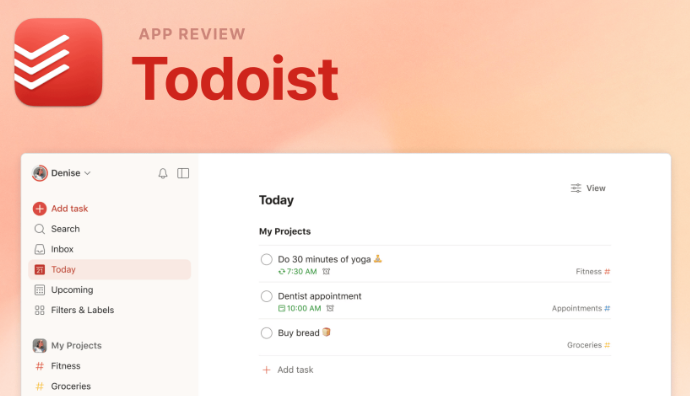
If you prefer a more focused approach to task management, Todoist is the gold standard. It is a powerful to-do list app that uses ‘Natural Language Processing.’ This means you can type ‘Call the bank every Friday at 10 AM’ and the app will automatically set a recurring task for you. With its ‘Karma’ points system, it gamifies productivity, making it satisfying to check items off your list. It syncs across all devices, ensuring that your priorities are always in front of you, whether you are at your desk or on the go.
3. Focus@Will: Scientifically Optimized Focus
Music can either be a distraction or a powerful tool for concentration. Focus@Will isn’t a traditional music app; it uses neuroscience-based music to help you reach a ‘flow state’ faster. The tracks are engineered to be ‘background noise’ that prevents your brain from getting distracted by external sounds or your own wandering thoughts. Users often find they can stay focused for 2-3 times longer than usual. It’s perfect for writers, coders, and students who need to do ‘deep work’ without interruption.
4. Calendly: End the Scheduling Nightmare
How much time do you lose in ’email tag’ trying to schedule a meeting? ‘Are you free Tuesday?’ ‘No, how about Wednesday?’ Calendly eliminates this entirely. You set your available hours, and the app provides a link you can share with others. They pick a time that works for them, and the meeting is automatically added to both of your calendars. It handles time zone conversions and can even send automated reminders. For anyone who takes more than three meetings a week, this app is a life-saver.
5. Otter.ai: Never Take Meeting Notes Again
Taking notes during a meeting often prevents you from actually participating in the conversation. Otter.ai uses advanced voice recognition to transcribe your meetings in real-time. It can distinguish between different speakers and allows you to highlight key points as the meeting happens. After the call, you have a searchable transcript and a summary of action items. This is a game-changer for journalists, students, and corporate professionals who want to stay present while ensuring every detail is captured.
6. Zapier: The King of Automation
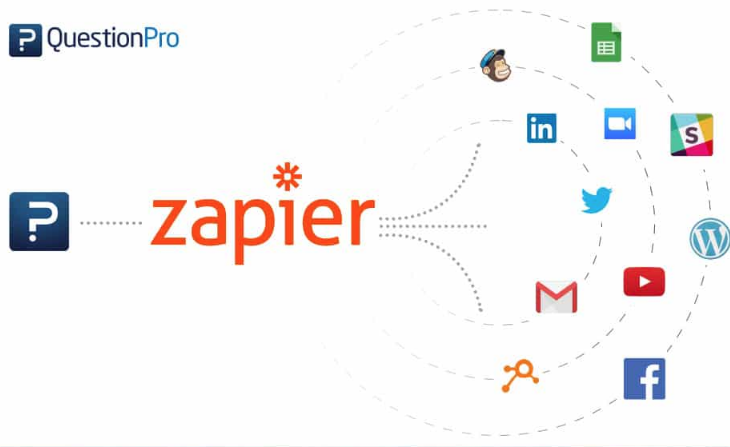
Zapier is the app that connects all your other apps. It allows you to create ‘workflows’ that happen automatically. For example, when you get a new lead via a website form, Zapier can automatically add them to your email list, send them a welcome message, and notify you on Slack. By automating these repetitive micro-tasks, you free up your brain to focus on high-level strategy and creativity. It’s like having a digital assistant working 24/7 in the background.
Conclusion: Build Your Personal System
Productivity is personal. An app that works for one person might be too complex for another. The key is to choose 2 or 3 tools that solve your biggest problems and commit to using them. Don’t spend more time ‘organizing’ your work than actually ‘doing’ it. Use these apps to build a system that supports your goals, saves your time, and gives you the freedom to focus on what truly matters.