In an era defined by digital distraction, being ‘busy’ is often confused with being ‘productive.’ True productivity isn’t about doing more work; it’s about doing the right work with less effort. Fortunately, we live in a golden age of software and AI. From project management to automated scheduling, the right tech stack can shave hours off your work week and eliminate the mental load of repetitive tasks. This guide explores the essential tools that will help you optimize your workflow and achieve a better work-life balance.
Leverage AI for Content and Note-Taking
Artificial Intelligence has moved beyond a buzzword into a vital utility. Tools like ChatGPT or Claude can be used for brainstorming, outlining articles, and even drafting emails. For note-taking, Notion AI can summarize long meeting notes or transform a rough list of bullet points into a professional report. By using AI as a ‘first draft’ partner, you eliminate the ‘blank page’ syndrome and move directly into the editing and refining phase, which is a much more efficient use of your brainpower.

Master Your Schedule with Smart Calendars
The back-and-forth of scheduling meetings is a notorious time-sink. Tools like Calendly or SavvyCal allow you to set your availability and send a link to others, letting them choose a time that works for both parties. This integrates directly with your Google or Outlook calendar to prevent double-booking. Additionally, ‘Time Blocking’ in a digital calendar helps you protect hours for deep work. When you treat your work blocks as ‘appointments’ with yourself, you are much less likely to let low-priority tasks interrupt your flow.
Project Management for Visual Clarity
If your tasks are scattered across emails and sticky notes, you are losing energy just trying to remember what to do. Project management tools like Trello, Asana, or Monday.com provide a ‘bird’s-eye view’ of your projects. Using a Kanban board (To Do, Doing, Done) allows you to see the progress of various tasks visually. This clarity reduces anxiety and ensures that nothing falls through the cracks. It also makes collaboration with team members seamless, as everyone can see the status of a project in real-time.
The Power of Automation with Zapier
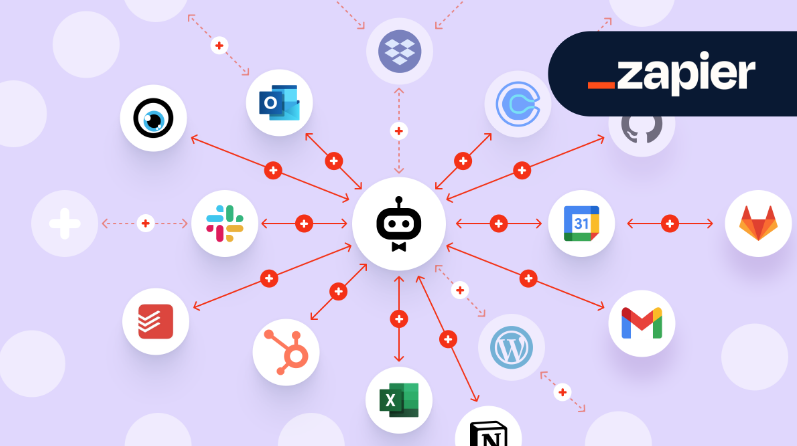
Zapier is the ‘glue’ that connects your different apps. It allows you to create ‘Zaps’ that automate repetitive actions. For example, you can set a Zap to automatically save every email attachment you receive to a specific folder in Google Drive, or to post your new WordPress blog posts directly to your LinkedIn profile. Automation allows you to build systems that work for you in the background, freeing up your time for high-value tasks that require human creativity and problem-solving.
Focus Apps to Block Digital Distractions
The average knowledge worker is interrupted every 11 minutes. To fight this, use focus apps like Freedom or Cold Turkey. these tools allow you to ‘lock’ yourself out of distracting websites and social media apps for a set period. Another great technique is the Pomodoro timer, which you can find in apps like ‘Forest.’ By working in 25-minute bursts followed by a 5-minute break, you keep your brain fresh and maintain a high level of concentration throughout the day.
Email Management and the Path to Inbox Zero
Email is often where productivity goes to die. Tools like SaneBox use AI to filter unimportant emails into a separate folder, leaving only the most critical messages in your inbox. Meanwhile, apps like Spark allow you to ‘snooze’ an email until a later time when you are actually ready to deal with it. Managing your email in ‘batches’—checking it only 2 or 3 times a day—rather than leaving it open all day, is a proven way to regain focus and reduce the feeling of being constantly ‘on call.’
Password Management and Security
How much time do you lose clicking ‘forgot password’ or searching for login details? Password managers like 1Password or LastPass not only secure your digital life but also save you significant time. They auto-fill your credentials across all devices and generate complex passwords that you don’t have to remember. It’s a small tech upgrade that provides both security and a smoother daily digital experience. Efficiency starts with removing these small, annoying friction points.
Conclusion: Auditing Your Tech Stack
More tools aren’t always better. The goal is to find a few key pieces of software that solve your specific bottlenecks. Every few months, audit your tech stack. If a tool is confusing or you aren’t using it, get rid of it. Focus on tools that offer automation, visual clarity, and focus. When you align your technology with your goals, you stop working harder and start working smarter, leaving you with more time for life outside of work.